

Founding offer: free for 6 months for the first 100 businessesProudly Australian · Australian owned
Agreements signed online. Proof anyone can check.
Send contracts, NDAs and client agreements for signature, agree the wording first, and give every party evidence they can check for themselves — without having to take our word for it.
Watch it in 40 seconds
A real agreement going through Odaaru Sign, from upload to an evidence package anyone can check. The business and client are made up.
- Your client signs on their phone. No account needed.
- You countersign and everyone gets the sealed copy.
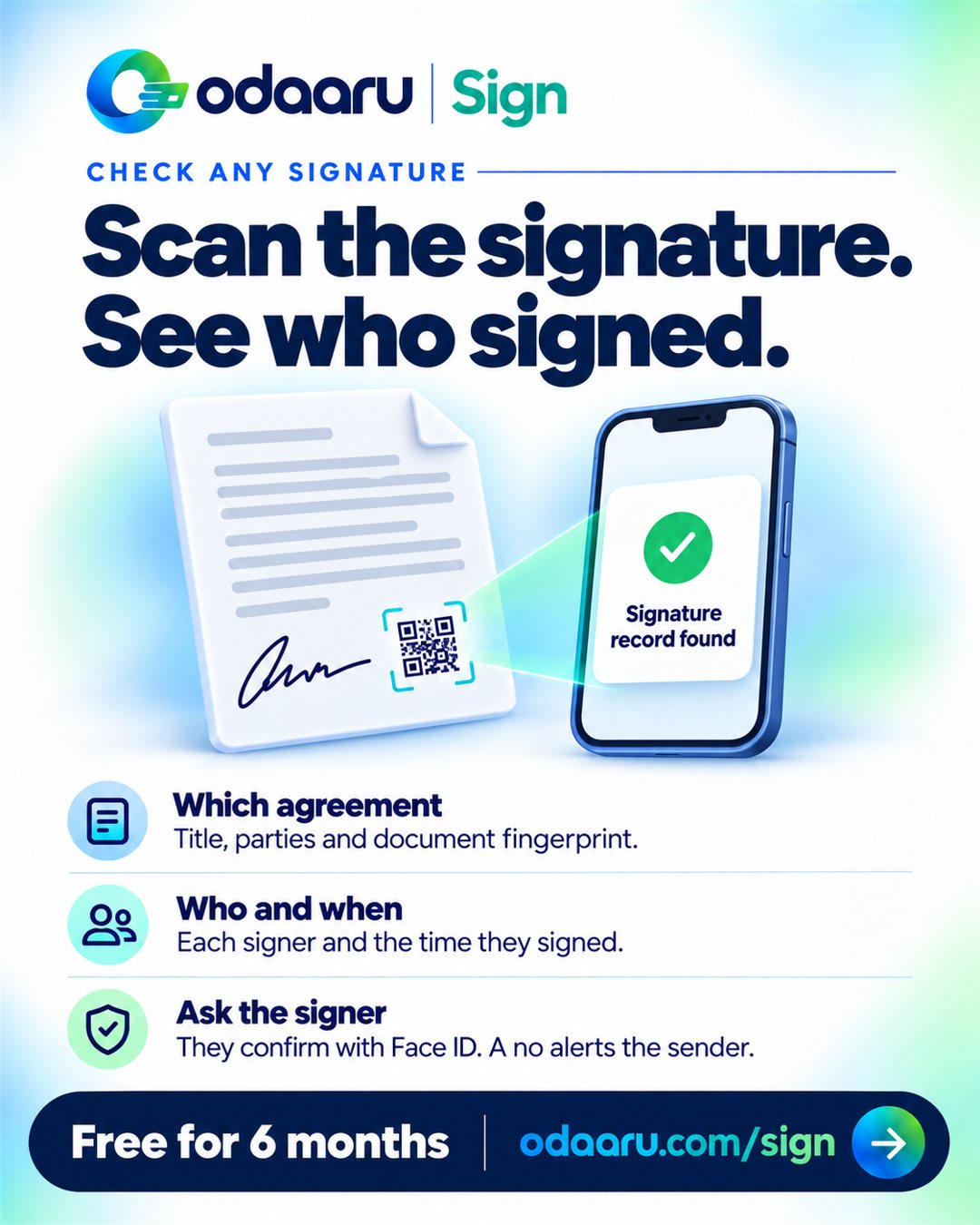
- Every signature carries a QR code anyone can scan.
How it works
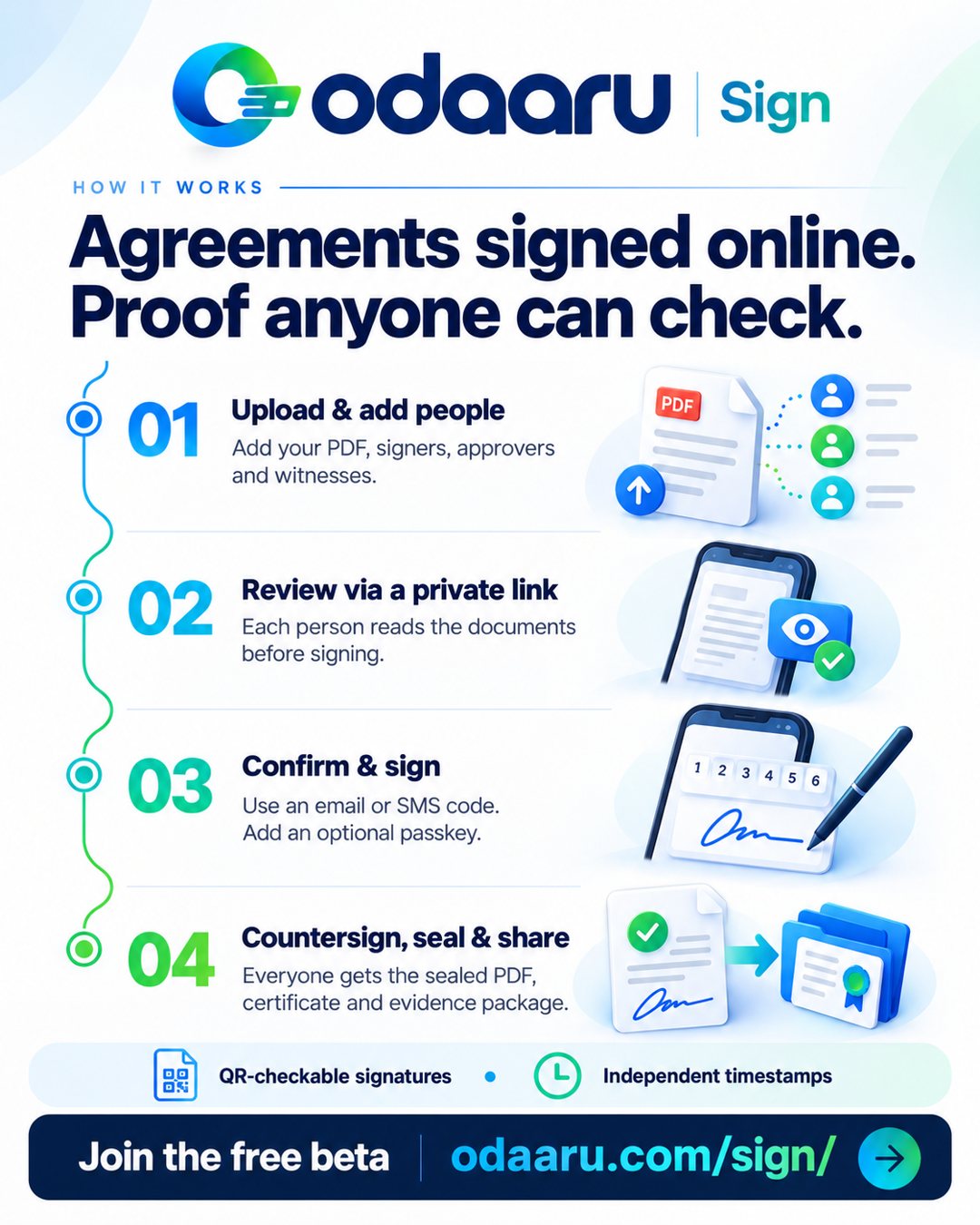
Four steps, from the final wording to a sealed copy in everyone's inbox.
-
Upload and add people
Upload the final PDF. Add who signs, who approves first and who witnesses, and set the order if it matters.
-
They open a private link
Each person gets their own link. They read every document before the sign button appears.
-
They prove it's them
A one-time code by email or text to their mobile, and optionally a passkey — Face ID, fingerprint or PIN.
-
Sealed and sent
Your business countersigns. Everyone receives the sealed PDF, a signing certificate and an evidence package.
See it at a glance
Three pictures that show what Odaaru Sign does. Tap any of them to see it full size.
Odaaru Draft RoomCollaborative drafting
Agree the wording before anyone signs
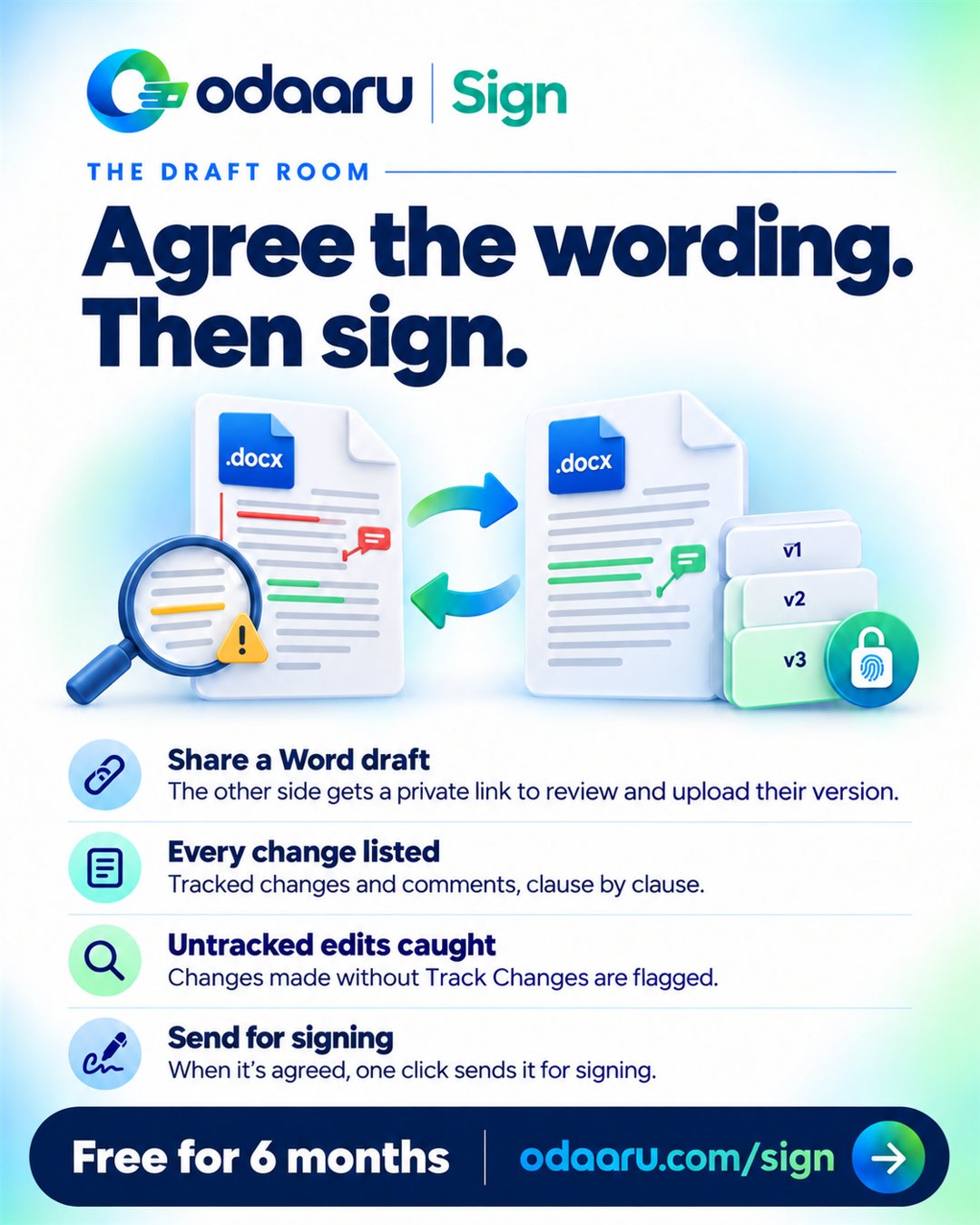
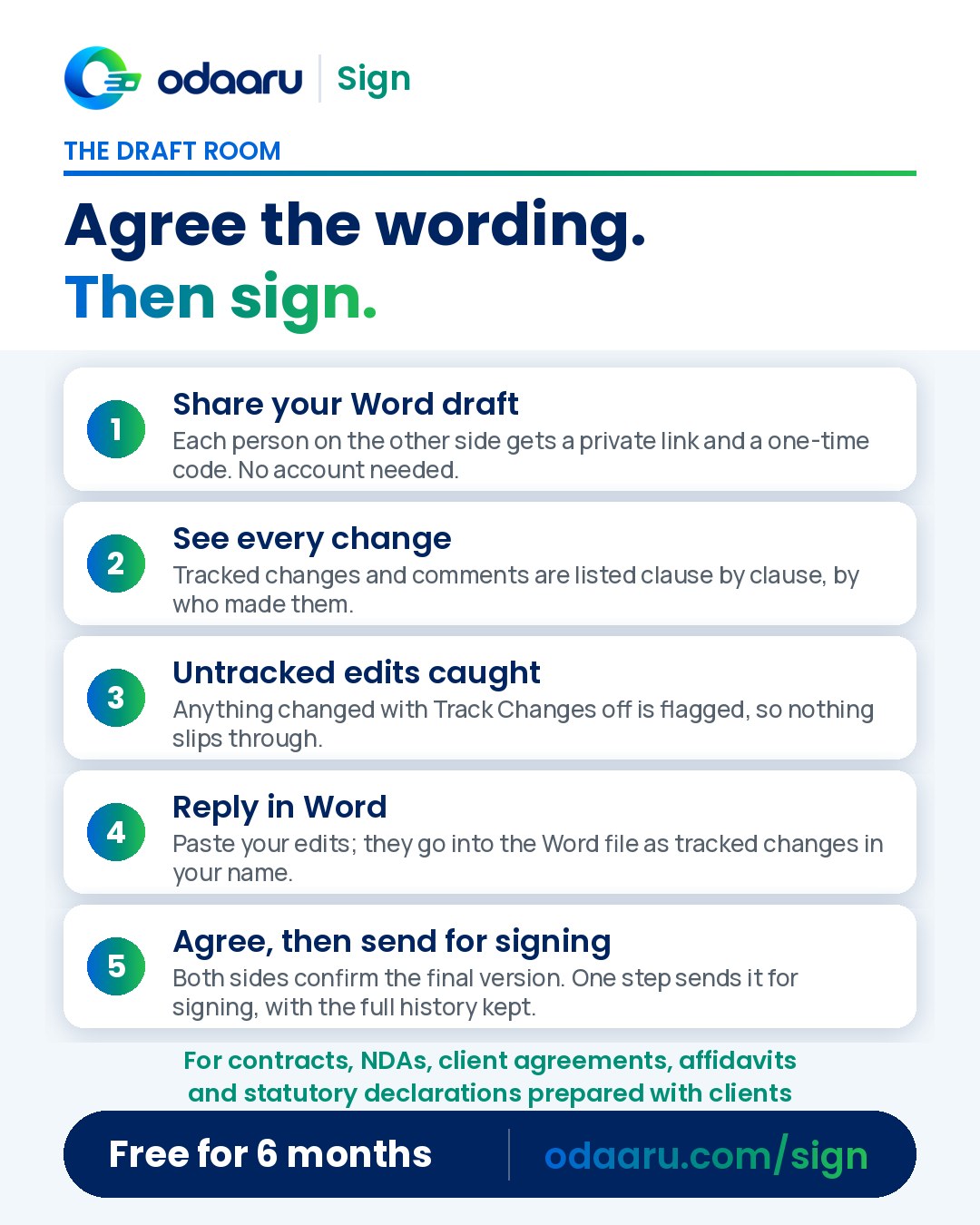
The draft room is where you and the other side settle a Word document together. Every version is kept, every change is listed, and edits made without Track Changes are caught. When everyone agrees, one step sends it for signing.
- Contracts, NDAs and client agreements
- Affidavits and statutory declarations prepared with clients
- Any Word document two sides need to settle
Affidavits and statutory declarations: the draft room is for agreeing the wording with your client. The document still has to be signed, sworn or affirmed, and witnessed the way the law requires.
Instant alerts: know the moment something changes
Turn on alerts and your phone or computer tells you straight away when there's a new version, edits made without Track Changes, a signer to approve, or someone happy with the wording. No more waiting on emails, so drafts move faster. Emails still arrive as before.
You and your team
- Log in to your signing desk and open the Drafts tab.
- Tap Turn on phone alerts, then Allow.
- Tap Send a test to check it works.
Do this once on each device you use. You'll get alerts for all your drafts. Each person on your team turns on their own.
The other side (reviewers)
- Open the review link from the email and enter the emailed code.
- In the Instant alerts box, tap Turn on phone alerts, then Allow.
Reviewers get alerts for that draft only, and tapping one opens their review room. Tell your clients about it when you send the draft.
On iPhone or iPad
- Open the desk or review page in Safari.
- Tap Share (the square with an arrow), then Add to Home Screen.
- Open Odaaru from your home screen and turn on alerts there.
Needs iOS 16.4 or later. On Android phones and on computers (Chrome, Edge, Firefox, Safari) alerts work straight from the browser.
What an alert shows: only the draft number and what changed, for example "D-000002: new version v4". Never the title, names or wording, because alerts can appear on a locked screen. Alerts go to everyone in the room except the person who made the change. If the room is already open, a Refresh bar appears instead of you having to reload. To stop alerts, tap Turn off in the same place.
What makes it different
Most e-signing tools give you a certificate and ask you to trust their records. Odaaru Sign is built so the people holding the agreement can check it themselves.
-
Check a signature from the page
Every signature carries its own QR code and ID. Scan it from a printed or forwarded copy to see which agreement it belongs to, who signed, when, and whether everyone has signed — without seeing the agreement's contents.
-
Ask the signer to confirm, later
Anyone holding the document can ask the signer to confirm it was them. We ask the signer by email and by text to their mobile; a "yes" is confirmed with their passkey (Face ID, fingerprint or PIN), and the answer is added to the agreement's record. A "no" alerts us immediately.
-
Evidence you can check without us
Each completed agreement comes with an evidence package: the signed PDF, the documents, the full signing history and a checker page that opens in any web browser. Nothing to install, and it works even if Odaaru isn't there.
-
Independent timestamps
After each signature and at completion, the record is timestamped by DigiCert, a public timestamping service. That proves when it existed, independently of our own clock.
-
A record that can't be quietly edited
Every step — sent, opened, read, signed, countersigned — is chained to the one before it, so changing or removing any entry breaks the chain and shows up in the check.
-
Stronger proof of who signed
Choose how signers prove it's them: an emailed code, a code texted to their Australian mobile, a passkey on their phone or computer, or require a passkey for high-value agreements.
-
Agree the wording first
Share a Word document with the other side in a private draft room. Every version is kept and fingerprinted; tracked changes and comments are listed by clause, edits made without Track Changes are flagged, and you can paste your own edits to have them written in as tracked changes. When it's agreed, send it for signing in one step.
-
Approvers, witnesses and order
Someone can approve before anyone signs; a witness can sign after the person they witness; signing can run in order or all at once; others can receive a copy.
Who it's for
Small businesses
- Customer and supplier agreements
- NDAs and partner contracts
- Merchant, contractor and service agreements
- Staff policies and acknowledgements
Lawyers and agents
- Client agreements and costs disclosures
- Migration agents' client service agreements
- Negotiating drafts with the other side
- An evidence trail you can hand to anyone who asks
Founding offer: free for 6 months
We're giving the first 100 Australian businesses free access for 6 months.
What founding businesses get
- Free for 6 months, no card needed
- Up to 20 agreements a month, and up to 3 people from your business
- A private draft room to agree the wording of Word documents with the other side
- QR-checkable signatures, independent timestamps and an evidence package for every agreement
- Signers confirm with an emailed code and can add a passkey
- Afterwards, a discounted founding-member plan — with at least 30 days' notice, and nothing charged automatically
We check each request (including your ABN) and email you a login, usually within two business days. Already approved? Log in here.
Thanks — we've got your request.
We'll check your details and email you, usually within two business days. Anything urgent: hello@odaaru.com
Questions
Are electronic signatures valid in Australia?
For most agreements, yes. The Electronic Transactions Acts allow a signature to be given electronically when the method identifies the person and shows their intention, and the other party consents. Some documents have special rules — for example some deeds, wills, statutory declarations and documents that must be witnessed in person in certain states. If you're unsure about a particular document, check with your lawyer.
Do the people signing need an account?
No. Signers, approvers and witnesses use a private link sent to them. They can add a passkey while signing if they want to, or if you require one.
What do signers receive?
The sealed PDF with a signatures page and signing certificate, and a link to the evidence package so they can check it themselves at any time.
How much does it cost?
Nothing for the first 6 months: founding businesses (the first 100) use it free. Before that ends we'll offer you a discounted founding-member plan, with at least 30 days' notice. Nothing is charged automatically, and if you stop you can still download your signed agreements and evidence.
Can I check a signature someone sent me?
Yes. Scan the QR code next to the signature, or open the evidence package and its checker page in your browser.